By Dawood Khan, Founder of CrowdReply.
TL;DR
- The best AI search monitoring tool: if you want one pick, it’s CrowdReply. It’s the only tool here built to close visibility gaps in addition to charting it for you.
- The alternatives: choose Profound if you’re an enterprise with a budget, Otterly.AI if you’re under $50 a month, and Ahrefs Brand Radar if you already pay for Ahrefs.
- The pro tip: monitoring is already table stakes; what you do after the dashboard says you’re invisible is the whole game.
- How to know if you need a paid tool today: run your own brand through ChatGPT, Perplexity and Gemini. If you can’t name the gap in 60 seconds, you need a diagnostic, not a subscription.
I’ve been skeptical about AI search monitoring tools. Most are the same dashboard wearing a different logo, and half the category launched last year. So I signed up for a dozen, ran my own brand and three competitors through each one and kept notes on what held up.
Nobody paid me to write this, so you’re getting the honest version. I’ve tested and compared the eight I trust, with real pricing and a best-for call for each. But before that, let’s clarify what AI search monitoring is and why it matters right now.
What AI search monitoring actually is
When someone asks ChatGPT for the best tool in your category, you’re either in the answer or you’re not. AI search monitoring is the process required to know this. It’s the tracking stage of AI search optimization, i.e., the point in time during which brands gather information regarding their visibility in AI answers.
AI search monitoring tools measure your visibility across the major answer engines, and they don’t just tell you if you’re in the answer or not. They usually score it three ways:
- How often you get mentioned
- How often you get cited as a source
- Whether the sentiment is positive or not
While AI search monitoring can be done manually, these dedicated tools are virtually essential, especially for professional teams and large projects.
Why AI search monitoring matters more than last year
AI search monitoring matters because there was a shift in how people conduct online searches. Consider Google, for example. Search Engine Journal reported that AI Overviews now show up on nearly half of searches. That’s huge!
Moreover, Gartner predicted that traditional search volume would fall 25% by 2026 as people move to chatbots. AI search monitoring is real, and it’s here now.
The bottom line? Nowadays, people read the answer and move on. If your brand isn’t in it, that buyer never knew you existed… That’s a different game than ranking a blue link.
AEO, GEO and the alphabet soup
Don’t get lost in this part. The terms AEO (answer engine optimization) and GEO (generative engine optimization) loosely refer to the exact same thing, and that’s increasing your visibility in AI engines. Same problem, different acronyms.
There are minor differences between the two acronyms, but you don’t have to worry too much about them. In any case, you can learn more about this in our AEO vs GEO comparison guide.
The 8 AI search monitoring tools that I tested
Here’s the short version if you just want an answer:
- CrowdReply for most teams, because it’s the only one built to actually close the gap
- Profound if you’re an enterprise with a budget
- Otterly.AI if you’re under $50 a month
- Ahrefs Brand Radar if you already pay for Ahrefs
In the table below, I’ve shared the comparison up front so you can jump to whatever fits. CrowdReply is my pick for most mid-market teams. The other seven are real answers for specific situations.
| Tool | Starting price | Engines at entry tier | Does more than monitor? | Best for |
|---|---|---|---|---|
| CrowdReply | Public, self-serve | All major answer engines | Yes. Built to close the gap, not just show it | Teams that want to move the number, not just watch it |
| Profound | $99/mo (ChatGPT only) | ChatGPT at entry, up to ~10 at enterprise | Partial (newer agent features) | Well-funded enterprise teams |
| Peec AI | $95/mo | Pick 3 of 6 | No | SEO and agency teams |
| Otterly.AI | $29/mo | ChatGPT, AI Overviews, Perplexity, Copilot | No | Solo marketers on a budget |
| Ahrefs Brand Radar | Add-on from $129/mo base | 6 engines plus social (beta) | No | People already inside Ahrefs |
| Scrunch AI | ~$300/mo | ChatGPT, Claude, Gemini, Perplexity, Copilot | Partial (bot analytics) | Enterprise teams tracking AI crawlers |
| Semrush AI Toolkit | $99/mo per domain | ChatGPT, Google AI Mode + 3 more | No | Existing Semrush customers |
| Rankscale | From $20/mo | 9+ models, credit-based | No | Budget buyers wanting coverage |
1 – CrowdReply: the one I keep coming back to

Are you a mid-market team with a known visibility problem looking for a platform whose entire job is to solve that problem? Then, you most definitely need CrowdReply. The good news? You can run the free AI brand visibility tool on your own brand in under a minute before you pay for anything.
I ran my own brand and three competitors through CrowdReply, same as everything else here, and the difference showed up fast. In most tools, you find a gap and the tool shrugs. Here, the dashboard flagged that a competitor was getting cited on a category question I wasn’t, and the very next screen wasn’t a chart; it was a workflow.
So yes, CrowdReply monitors. You track prompts across all the major answer engines and see AI share of voice, mentions, citations, sentiment, etc. It does that part cleanly. What makes it different is what sits on top: once the dashboard tells you where you’re losing, the tool also hands you the plan to fix it.
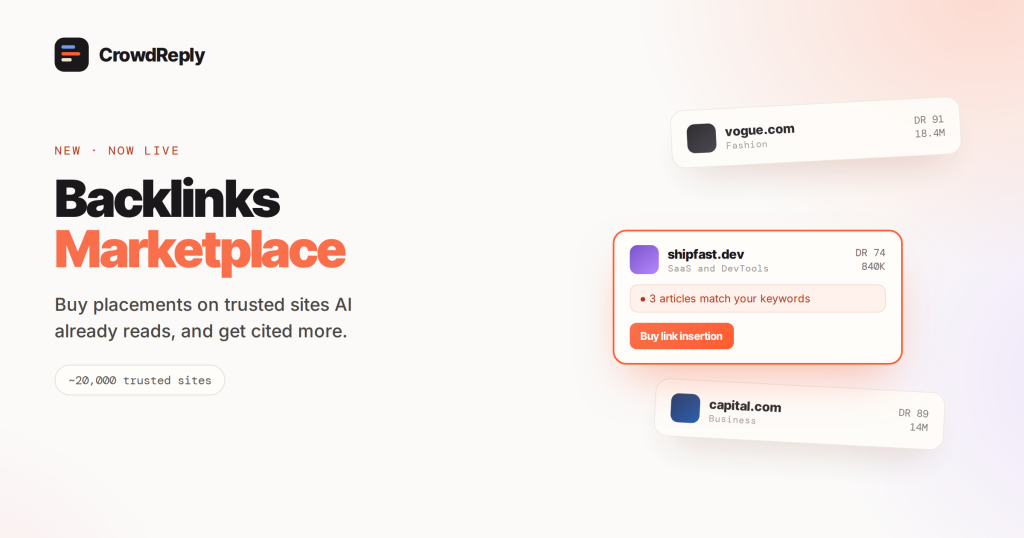
Here’s a great example of how CrowdReply expands on AI search monitoring: the Backlinks Marketplace. It’s a brand-new feature that helps you find valuable backlinks for your brand to improve your online authority and therefore increase your chances of appearing in AI answers. But there’s more…
The Engagement Engine ties actionable insights to your tracked prompts, your brand knowledge and your competitor gaps. Then it does the work of improving your position using persona-based accounts instead of just flagging that you should.
Finally, there’s the Brand Knowledge Fixer. It caught a flat-out wrong fact an AI kept repeating about my brand and let me push a correction instead of just screenshotting the error and sighing.
Here’s the catch, and I’d rather you hear it from me: the dashboards are newer than Profound’s and the pricing scaffolding is still settling. If what you need next quarter is a mature enterprise deployment with a dedicated CSM and years of polish, Profound is further along on that specific thing.
2 – Profound: the polished enterprise default
Profound is the unmistakable number-one solution for enterprise teams with a budget who want the polished, safe default and a real CSM. If you’re mid-market, this tool is probably more complex and costly than you need.
I have a lot of nice things to say about Profound. The interface is the most finished in the category. The monitoring depth is genuinely strong, the prompt-demand explorer is useful for seeing what people actually ask and the enterprise logos are real.
They’ve also started shipping agent features that go past pure tracking, though that part is new enough that I’d want to watch it in the wild first.
I’ll be honest about the trap I walked into, though. I signed up at the $99 Starter tier expecting to compare engines, and I was only looking at ChatGPT. That’s all Starter tracks.
Real multi-engine monitoring starts at the $399 Growth tier, which adds Perplexity and Google AI Overviews. The full engine set, including Claude and Gemini, lives up in Enterprise, which is a custom quote. The conclusion is that the headline price and the useful price are pretty far apart.
3 – Peec AI: clean tracking for SEO and agency teams

SEO leads and agencies who want clean, model-agnostic tracking data to plug into their own workflow should definitely add Peec AI to the shortlist. If you also want the fixing part handled, you’ll want an action-layer platform such as CrowdReply instead.
Peec AI is a well-built tool, and the thing that pulled me in was the competitive view. I dropped my brand and three named competitors in, and watching who won prompt by prompt was genuinely useful. It’s the report I’d screenshot for a client.
The prompt-level competitive share of voice, sentiment scoring that’s better than most and multilingual coverage. Agencies like it because seats are unlimited on every tier, so I could add a whole team without the price moving.
Setting it up, I hit the one real friction fast. Every self-serve plan makes you pick 3 models, and I had to decide which engines mattered before I’d learned where my buyers actually were. Extra models are paid add-ons on top. Starter is $95 a month, Pro is $245 and Advanced is $495, with a 7-day free trial that doesn’t ask for a card.
Additionally, Peec AI is diagnosis only. It’ll show you exactly where you’re losing, but then the fixing is entirely on you…
4 – Otterly.AI: the budget pick
Otterly.AI is great for founders, freelancers and small in-house teams who want a low-risk, no-sales-call way in. When the budget opens up and you want to move the number, a tool with a real action layer is the step up you need.
Otterly.AI is the tool I point new people to. When I set it up, there was no sales call and no “book a demo” wall. The prices were right on the site, so I picked a plan and started tracking within a few minutes. This low-friction start is the whole personality of the tool, and it’s rare in this category.
So, the tool is cheap and honest about it. Lite is $29 a month, Standard is $189 and Premium is $489, all published openly. Every tier covers ChatGPT, Google AI Overviews, Perplexity and Copilot, and seats are unlimited. There’s no permanent free tier, but you have a free trial.
The catch is that the prompt caps are tight. Lite gives you 15 prompts, and once I added a couple of competitors to my own brand, it filled up. moreover, you’re on 4 of the 6-plus engines out of the box. The moment I wanted Gemini, I felt the limit because it happens to be a paid add-on.
5 – Ahrefs Brand Radar: the pick if you already pay for Ahrefs
Ahrefs Brand Radar is not the AI search monitoring tool I would recommend to most people, but there’s an exception: SEO operators already inside Ahrefs who want category-level competitive intel. If you need to act on what you find, though, you’ll want an action-layer tool alongside it.
I run Brand Radar queries most weeks alongside my own dashboards because it does a different job well. The first time I used it, the “aha” was instant. I typed in a competitor I’d never set up tracking for, and the AI visibility data was just there.
That’s because it sits on top of Ahrefs’ enormous prompt database. You don’t define prompts and wait for numbers to accumulate. The data’s already been crawled.
You can also look up AI visibility for pretty much any brand, topic or competitor without setup. Ahrefs covers six engines plus social platforms in beta, and there’s a free AI Visibility Checker if you just want a peek before committing.
The thing I keep coming to, however, is that getting Brand Radar doesn’t really make sense unless you’re already using Ahrefs (I’ve also talked about it in my best AI visibility tools article). The tool is not standalone; it’s an add-on, so the sticker shock hits when you do the full math.
Basically, you’re paying for a base Ahrefs plan, which starts around $129 a month, plus the Brand Radar tier on top, which runs $398 or $699. All-in, you’re well past most standalone tools. And it’s research only, with no remediation workflow and no Claude.
6 – Scrunch AI: monitoring plus AI crawler analytics
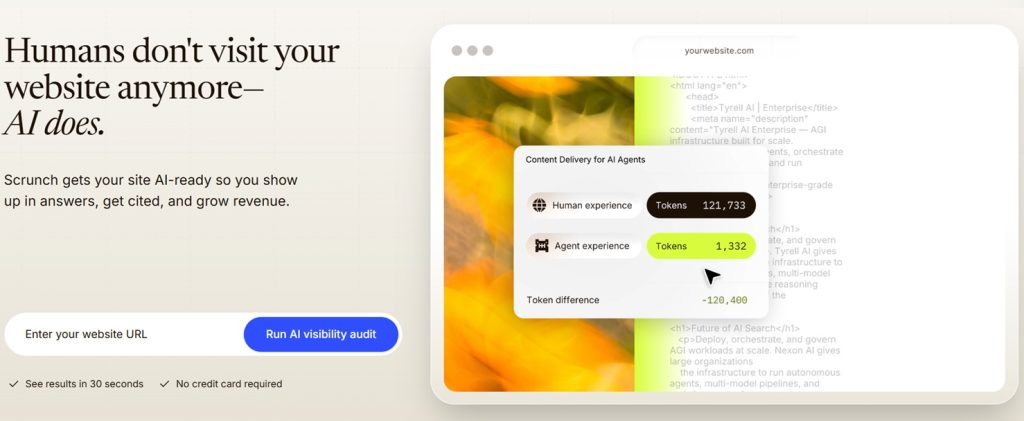
Scrunch AI is one of the very best tools for enterprise teams that care as much about how AI crawls their site as about how it answers about them. Due to its high cost, however, it’s more than most mid-market teams need.
Let me start by mentioning something that can be confusing: when you land on scrunchai.com, it redirects to another page; why? Well, Sitecore acquired the tool in mid-2026, meaning it sells its own plans for now.
That said, Scrunch AI is an enterprise-flavored product, and it’s aimed at a slightly different buyer. The part that felt different in testing wasn’t the prompt tracking; it was watching which AI bots had actually crawled my site, in near real time, rather than just how AI answered about me.
On top of standard monitoring across ChatGPT, Claude, Gemini, Perplexity and Copilot plus Google’s AI surfaces, Scrunch AI tracks the crawlers hitting your pages and can serve them AI-optimized versions. For a big site, that crawler view is a real signal most of these tools don’t touch.
On the other hand, the tool is pricey and there’s no cheap way in, so you’re committing before you’ve dabbled. Starter runs around $300 a month and Growth around $500, with a short trial but no free tier.
7 – Semrush AI Toolkit: fine if you already live in Semrush
Just like Ahrefs Brand Radar, the Semrush AI Toolkit is great for existing Semrush customers who want a baseline AI visibility view without adding a tool. If AI search is a real priority, the focused tools go as deep as you need. On the other hand, it’s not the best fit for teams outside the Semrush ecosystem.
Worth noting up front: Semrush is now an Adobe company, after Adobe closed its acquisition in 2026. Doesn’t change the product today, but it’s the kind of thing that shapes a roadmap.
If your team already pays for Semrush, AI Toolkit is the low-friction way to dip into AI visibility without standing up another tool. When I tested it, that was the real appeal: it was one more tab in software I already knew, with no new login.
What you get is an AI Visibility Score, competitor benchmarking and sentiment, all inside the Semrush interface. Coverage now spans ChatGPT, Google AI Overviews, Google AI Mode, Gemini and Perplexity.
There are two catches, though. First, the meter you watch is the prompt count. The base plan gives you 25, which goes fast, and every extra 50 prompts is another $60 a month. Second, it’s a per-domain add-on at $99 a month, and it scales up quickly once you add domains.
8 – Rankscale: the widest model list for the money
Are you a budget-conscious buyer who wants the widest model coverage and doesn’t mind a rougher interface? Then, you might well be an ideal Rankscale customer!
In a nutshell, Rankscale is the budget-power pick. It has the cheapest real entry point in the category and one of the longest model lists. If raw coverage per dollar is your thing, it’s definitely worth a look.
What I liked about Rankscale is that it tracks nine-plus models, more than almost anything else here, and the credit-based pricing lets you pay for exactly the mix you want. It does citation and source analysis, sentiment and competitor benchmarking, and higher tiers add API access and white-label.
Using it, the trade-off is obvious within a minute. The value is in the model list and the $20 starting price. The cost is the interface, which is functional but not pretty, and reporting that leans on exports and screenshots rather than clean dashboards.
Running Claude costs about eight times what a base engine run does, so the meter drains fast if you’re not paying attention. Essentials starts around $20 a month, Pro is $99 and it climbs to $385 and $780 for Growth and Enterprise. There’s a free trial.
Extra – Writesonic, AthenaHQ, ZipTie and EverTune
These four AI search monitoring tools didn’t make it to the list, but they deserve an honorable mention:
- Writesonic keeps showing up in these roundups. It’s more of a content platform with AI visibility features attached than a monitoring tool first, so it fits content teams already using it.
- AthenaHQ is a newer purpose-built tracker with a clean take on the category. Credible, yes, but still proving itself.
- ZipTie is the developer-flavored option. If you want LLM tracking that feels like infrastructure rather than dashboard software, it’s the pick in that niche.
- EverTune layers a consumer panel on top of the usual LLM querying, which gives ad and brand teams a different shape of signal than a pure tracker.
None of these are bad, they’re just narrower fits than the eight above. Most teams only need one tool anyway.
The 4 things I judged each tool on
I looked at a dozen AI search monitoring tools and wrote up the 8 worth paying for, the ones teams in this category actually shortlist.
Every tool was judged against the same buyer profiles, and the best-for call reflects where its strengths and weaknesses landed for that buyer. Pricing and engine coverage shift fast here, so confirm current numbers with the vendor if a specific tier is a dealbreaker.
Please note that the differences that matter aren’t the ones the marketing pages lead with. As someone who genuinely deals with AI search monitoring daily, here’s what I actually put each tool through:
1 – Which engines does the tool really tracks?
Almost every tool lists a long roster of models. But when you read the fine print, half of them are locked behind the top tier or sold as add-ons.
The 2026 baseline you should expect on any serious plan is ChatGPT, Google AI Overviews, Perplexity and Copilot. The expanded set adds Google AI Mode, Gemini and Claude. ChatGPT is the priority because it’s where the volume is. According to OpenAI, it passed 800 million weekly users, so any tool that can’t track it well is a non-starter.
Oh, and please don’t just compare the model lists. Instead, compare the model list on the plan you’d actually buy.
2 – How many prompts do you get and how fresh are they?
The second question is volume and refresh rate. How many prompts can you track, and how often does the tool re-ask them?
For a fast-moving category like SaaS, daily beats weekly. Your position swings week to week, and a monthly snapshot hides the movement.
On volume, a 15-prompt plan covers your brand and two or three competitors. Past 400 prompts you’re at real scale, meaning the per-prompt cost matters more than the headline tier price.
3 – Does it go past monitoring?
This is the one I care about most. Once the tool shows you you’re invisible, what happens next? For most tools, nothing… You get the chart and a wish of good luck. This is the often-overlooked AI search monitoring review criteria that made me rank CrowdReply #1.
A few other tools are starting to build workflows that turn the diagnosis into action: which backlinks to earn, which pages to fix, which factual errors to correct, etc. That’s a much harder product to build than a dashboard, which is exactly why so few have done it.
4 – Does it have transparent pricing?
Unfortunately, not every AI search monitoring tool is completely transparent about its prices. The exceptions include Otterly.AI and Rankscale, which publish everything. Peec AI also shows tiers right on the page, but Profound and most enterprise tools make you ask.
I consider this to be a key review criteria because it allows your team to know exactly how much they’re going to spend and what they’re getting for that money.
How to pick the best AI search monitoring tool (for you)
If you’re new to the game, picking the AI search monitoring tool that best fits your needs and budget can be tricky, but these five questions should cover the essentials:
- Are you measuring or fixing?
– If you still don’t know where you stand, any monitoring tool here gets you there. If you’ve watched the dashboard for a quarter and the real question is “how do I move this number,” choose CrowdReply. - What’s your budget?
– Under $50 a month, choose Otterly.AI or Rankscale.
– In the $200 to $1,000 range, choose Peec AI, Scrunch AI or CrowdReply.
– If you have an enterprise-level budget, choose Profound. - Already paying for Ahrefs or Semrush?
– In this specific case, just choose Brand Radar (Ahrefs) or AI Toolkit (Semrush). Start with their built-in module before stacking a second tool. Add a purpose-built one when you run out of depth or prompt volume. - Category research or brand monitoring?
– If you want to study competitors and whole categories without setup, choose Ahrefs Brand Radar.
– If you want your brand plus a handful of competitors tracked and fixed, choose any of the focused trackers (you can find more about the best rank tracker software here). - How much do you care about action?
– If you just want the numbers, most tools here deliver. If you want the platform to help close the gap, that narrows the field fast, choose CrowdReply. It’s the default answer for the typical mid-market buyer.
How to use AI search monitoring tools
When it comes to generative engine optimization, picking a monitoring tool is the easy part. Any of the eight above will show you where you stand in AI answers, and most do it well.
The hard part is to use the tool effectively and correctly. I have a couple of notes on it, based on my own experience in AI search monitoring:
Knowing the metrics that are worth watching
Not all AI visibility metrics are equal. Three actually matter, and one is mostly a feel-good number. Let’s start with the ones you really need to watch:
- Mention rate: how often you show up at all. Useful as a baseline, but a mention buried in a list of ten isn’t the same as being the recommendation.
- Citation share: how often AI cites your content as the source. It’s the closest thing to a real ranking because a citation is a link and a vote of trust.
- Sentiment: whether the answer describes you positively. This matters most when AI is summarizing your reviews.
The vanity metric? Having a single blended visibility score with no breakdown. Every tool has one, and it’s fine for spotting trend direction, but it hides whether you’re winning on citations or just getting name-dropped.
It’s tempting to trust these unified visibility scores because they seemingly make AI search monitoring easy. But when a tool leads with the big number and buries the components, that’s actually the number to trust least.
Avoiding the mistakes I see teams make over and over
A few common mistakes come up over and over, and they’re worth heading off before you pick a tool:
- Buying for the model list instead of the plan: people get excited that a tool tracks fifteen engines, sign up for the cheap tier, and later discover the cheap tier tracks two. Buy for the plan you’ll actually run.
- Confusing activity with progress: it feels great to check the dashboard every morning, but that does nothing for your citation share. Monitoring without a plan to act on it is just anxiety with a subscription attached.
- Tracking too few prompts (or just the wrong ones): a brand-name prompt tells you almost nothing because people already searching your name aren’t the ones you’re losing. The prompts that matter are the category ones, the comparison ones and the problem-first ones where a buyer doesn’t know you exist yet.
- Treating the score as the goal: the score is a proxy, not the goal. The goal is showing up, accurately and positively, when a real buyer asks a real question.
The last thing to consider: do you need a paid tool yet?
If you’ve never once checked how AI describes your brand, you don’t need a paid subscription; you need ten minutes. Here’s what you should do:
Open ChatGPT, Perplexity and Gemini and ask each the questions your buyers would ask. Not “what is my company,” because they know that. Ask “what’s the best tool for X,” “who are the top companies in Y,” “what should I use instead of my biggest competitor.” Then, read the answers like a buyer would.
Do that for your brand and your three closest competitors. Write down where you show up, where you don’t and where the AI says something flatly wrong about you. That costs nothing and takes an afternoon, and it’ll tell you more than a week of staring at a dashboard.
When you want to track the trend over time instead of one snapshot, you’ve outgrown the free approach. You can do it by hand, sure, but it becomes a part-time job…
You should also invest in a premium AI search monitoring tool when you need to prove movement to a boss or a client with real charts and when you’ve decided to actually work on the problem, not just measure it.
If none of those are true yet, save your money and do the manual pass. If a couple are, the tools above are worth it.
Frequently asked questions
What is the best AI search monitoring tool?
CrowdReply for mid-market teams; Profound for well-funded enterprise teams; Otterly.AI for budgets under $50; Ahrefs Brand Radar or Semrush AI Toolkit if you already pay for Ahrefs or Semrush.
What are AI search monitoring tools?
AI search monitoring tools track whether and how AI answer engines like ChatGPT, Perplexity, Gemini, Copilot and Google’s AI surfaces mention your brand. They run a set of prompts on a recurring schedule and pull out your mentions, citations and sentiment, usually with competitor comparison on top.
How do AI search monitoring tools work?
They run your monitored prompts against the LLMs you care about on a cadence, then extract brand mentions, citations and sentiment from each answer. The best tools add competitor benchmarking and citation-source tracking.
How much do AI search monitoring tools cost?
They range widely. Budget tools like Otterly.AI and Rankscale start at $20 to $29 a month, and mid-tier purpose-built tools land roughly $95 to $500 a month. Enterprise options like Profound and Scrunch AI run from a few hundred a month into custom contracts. Add-ons like Ahrefs Brand Radar and the Semrush AI Toolkit sit on top of a base subscription.
Which AI platforms should I monitor?
Start with ChatGPT and Google’s AI Overviews plus AI Mode, since that’s where the most volume is. Add Perplexity, Gemini and Copilot based on where your buyers actually spend time.
Can I use my existing SEO platform for AI search monitoring?
Partially. Ahrefs Brand Radar and the Semrush AI Toolkit cover the basics if you already pay for the parent platform, and starting there is sensible. If what you’re missing is remediation, that’s when an action-layer tool such as CrowdReply earns its place.
How is AI search monitoring different from SEO tools?
SEO tools rank your URLs in classic search results. AI search monitoring tools track whether your brand shows up inside the AI answer itself, where the user never clicks through.